Hey Guys!
Today I am doing a review on Duolingo!
Duolingo is a fun, free website you can use to learn a new language.
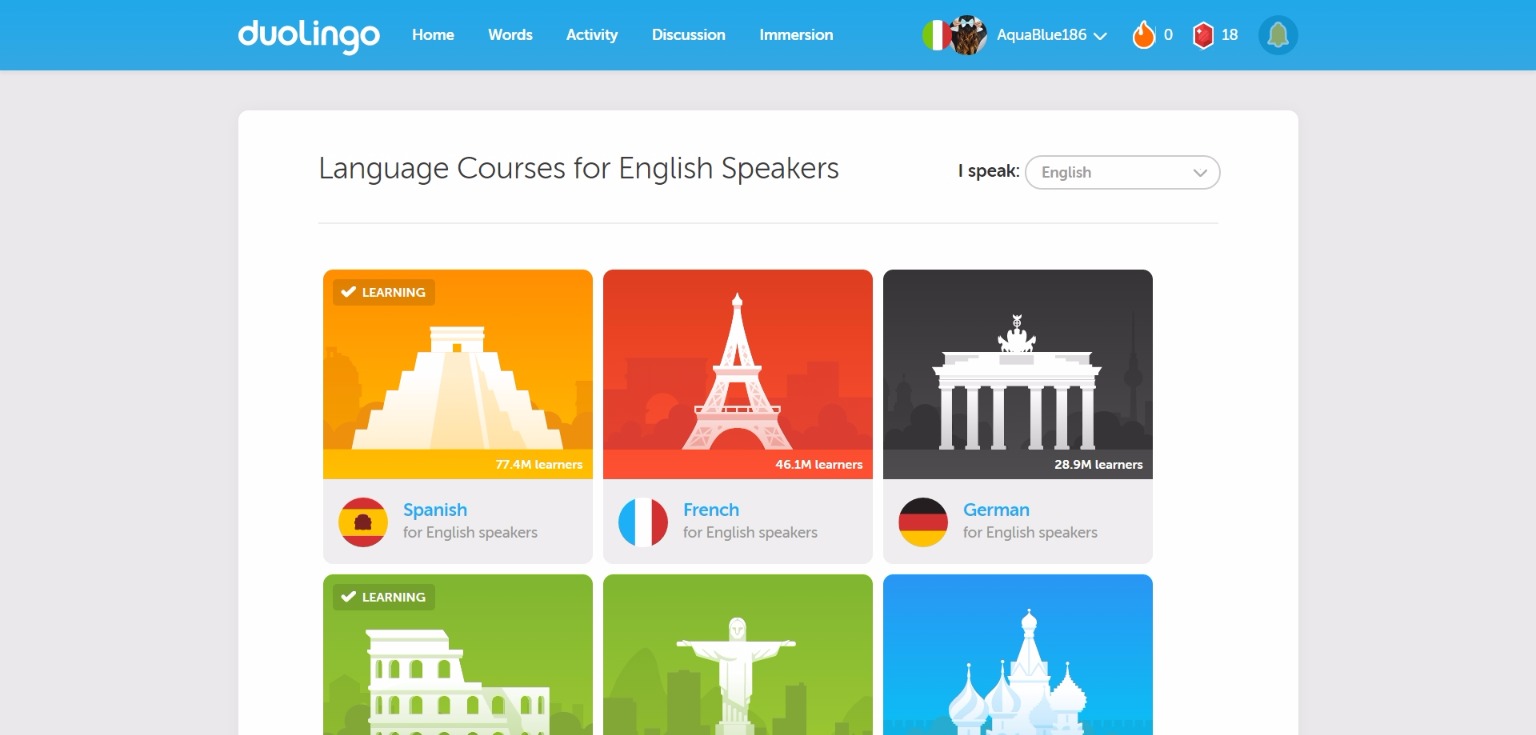
You start out by choosing a language to learn. For English speakers there is a large variety of languages to choose from, including Spanish, German, Portuguese, Russian, and Irish. For any other language you can only choose from 1-5 languages, approximately.
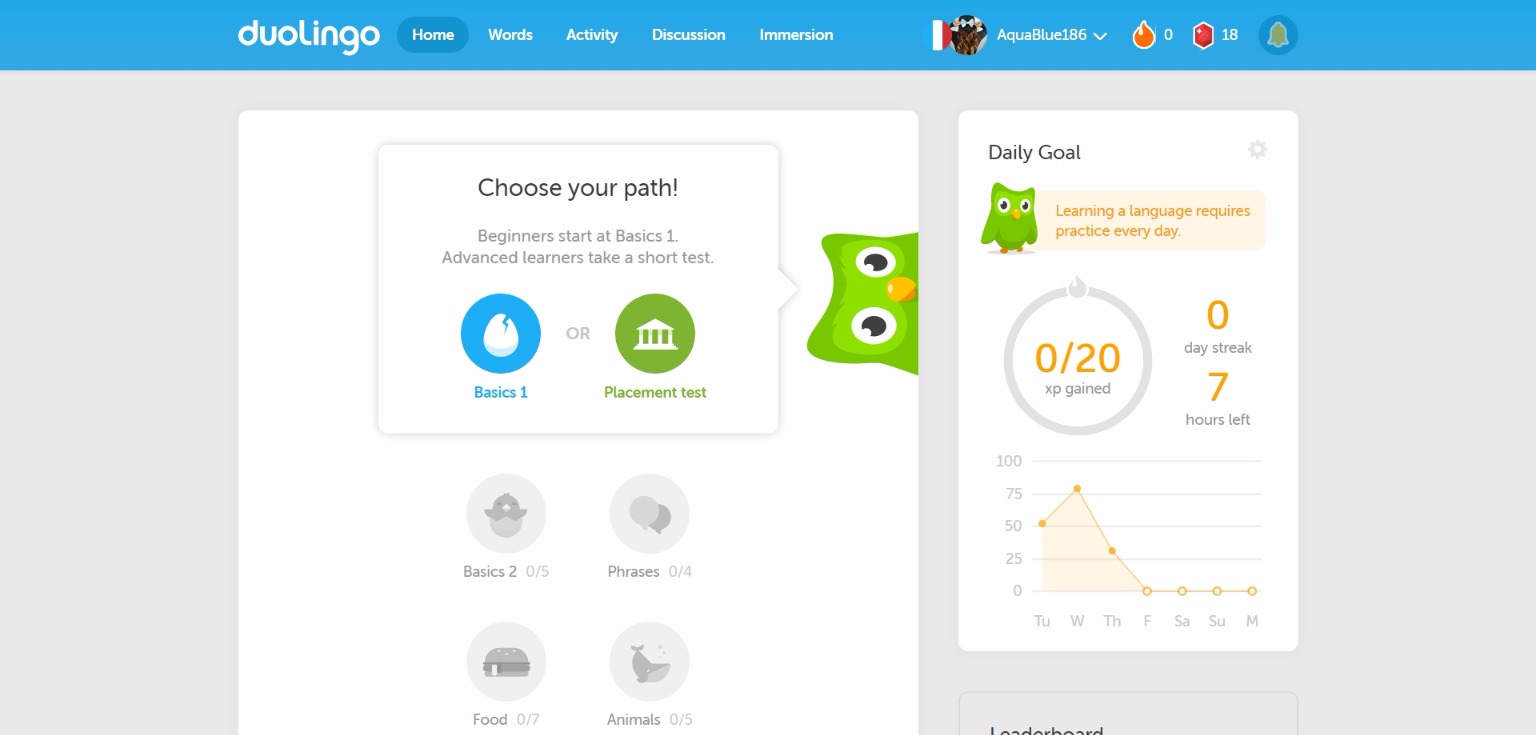
Once you choose a language, you can start with the basics, or (if you know the language a little already) you can take a placement test.
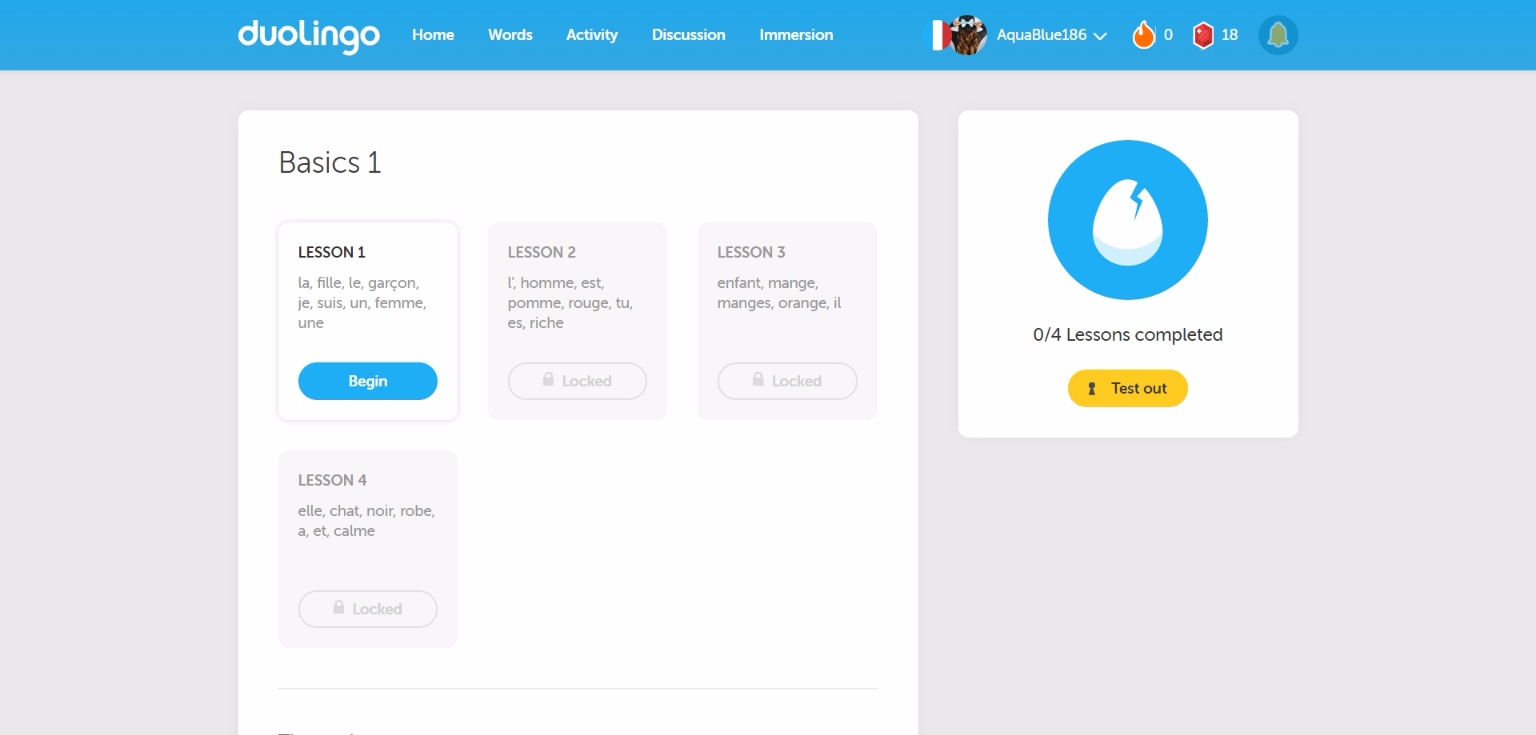
If you choose “basics”, this is the screen that will greet you. Each circle, or segment, is comprised of several different lessons, in this case there is 4 lessons. You cannot do a lesson before you complete the previous one. You can also “test out” of the lessons to skip a few, if you think you know enough.
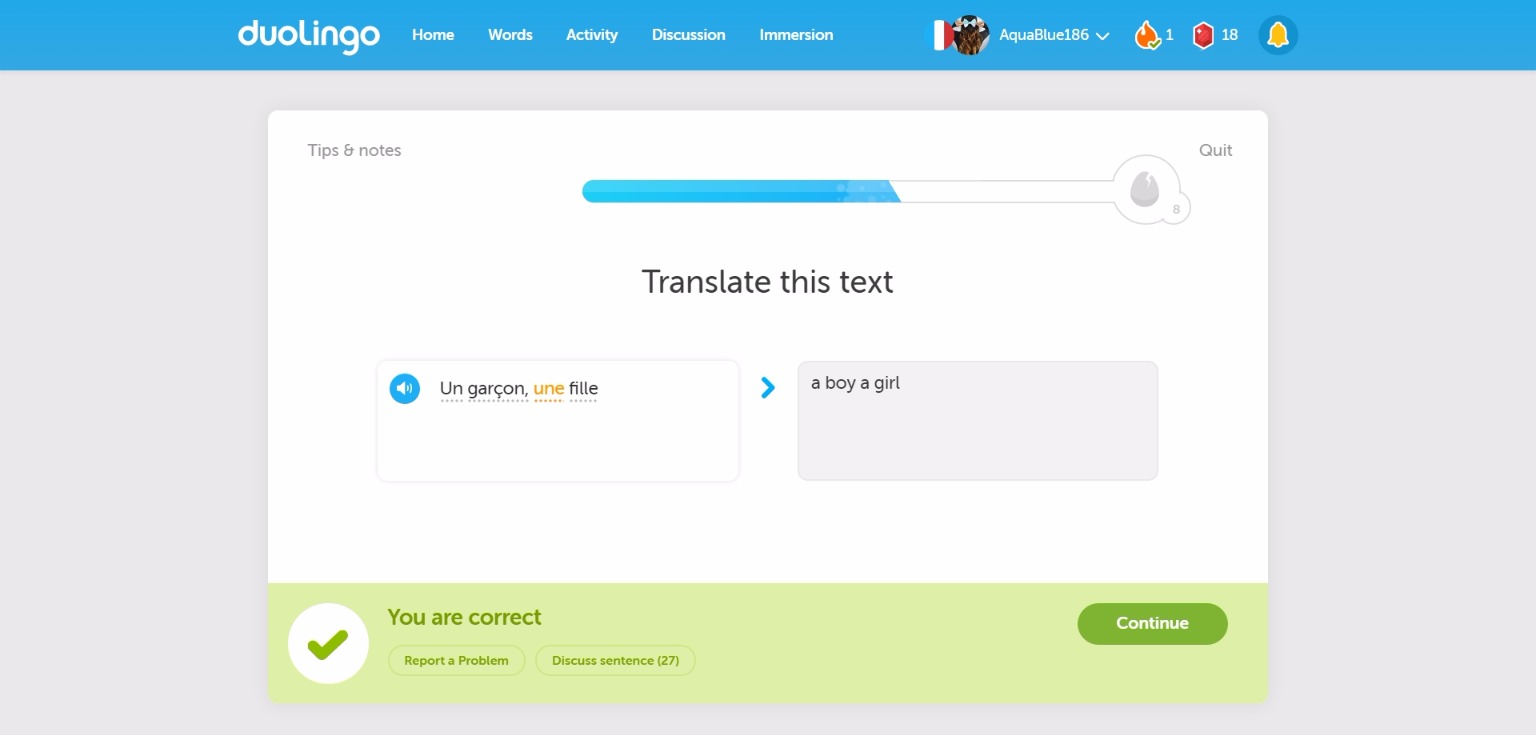
This is the “learning screen”. The bar at the top is your progress. You have to get enough questions right to fill up the bar, but every time you get a question wrong the blue recedes. It can take anywhere from 5 to 20 questions to complete a segment.
The first time you see a word it will appear orange, like you see on this screen. After that it will appear black. If you see dots underneath a word, it means you can roll over it with your cursor to see the meaning.
Proper grammar is not required when filling in the answer. :)
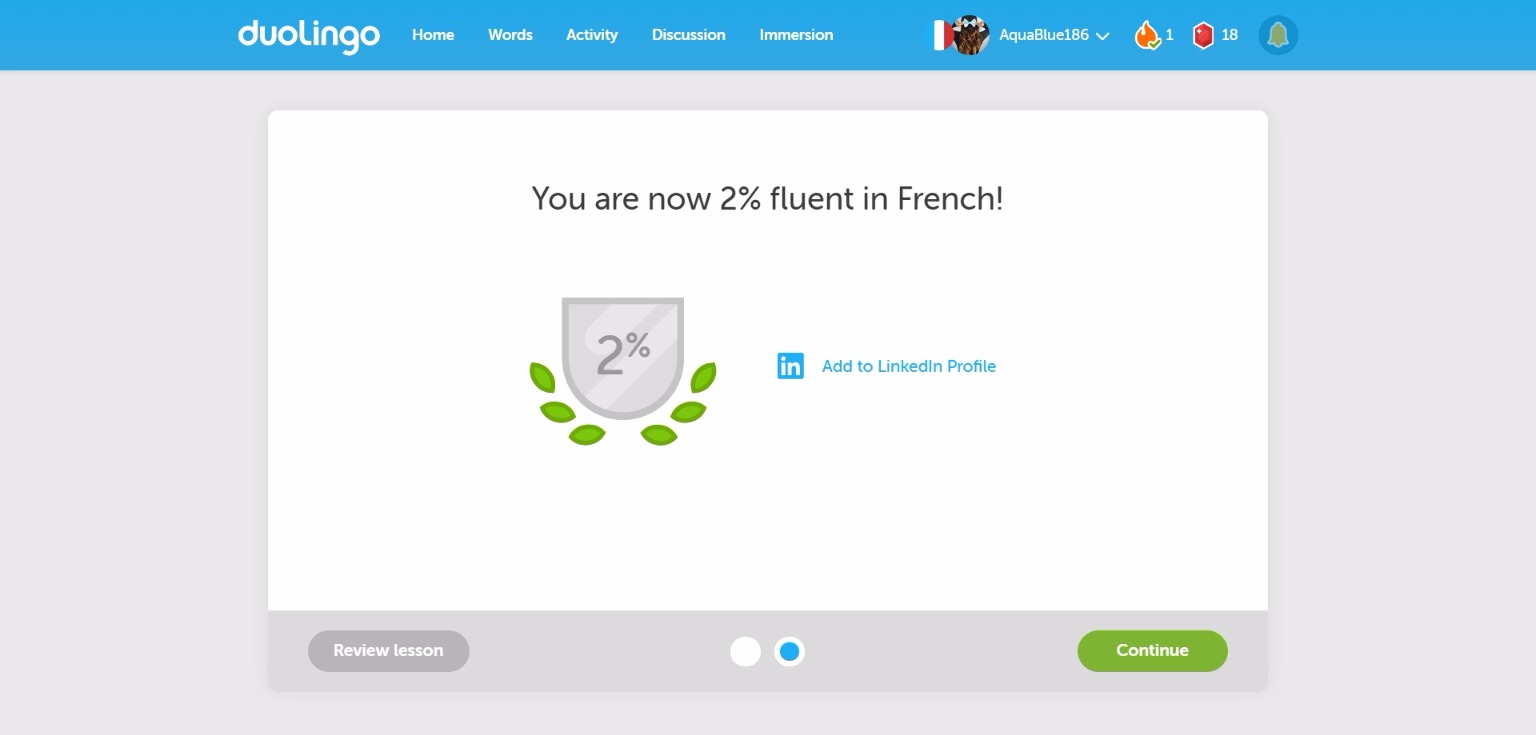
When you complete the lesson, you will see a progress meter (not shown) and any added percentage. These end cards vary depending on what you achieved.
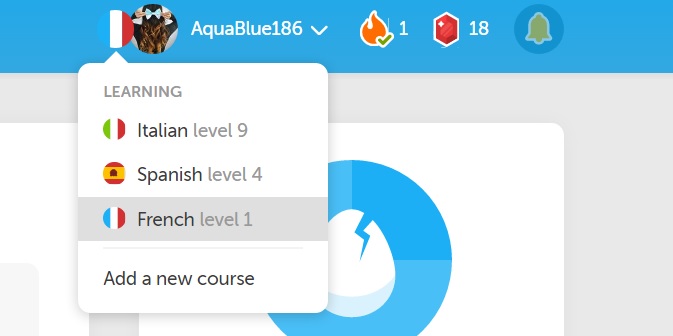
You can learn as many languages as you want at one time. You can switch languages by rolling over the flag next to you profile picture.
The flame is your “streak”, or how many days you have completed your daily goal.
The little ruby is a “lingot”, or Duolingo’s currency. You earn lingots by completing a segment and you can use them buy extra segments for your language, and you can gift them to other people. The bell is the notification center.
Duolingo is a very well done website that makes is fun to learn a new language. It’s very easy to add friends and be competitive with other people. My cousin and I enjoy competing against each other to see who has the most xp (earned by completing lessons, among other ways).
There are several way to interact with other people learning languages, including commenting on their feed, following them, and asking questions you might have about your language or the website itself.
There is an app to Duolingo, and I applaud them on how well made it is. Instead of trying to force every thing on the computer version onto the app, they changed the lessons slightly to accommodate the different interface on a smartphone.
There are many other settings you can changes, as well as other options for practicing your language more that I just wasn’t able to go over. I definitely recommend Duolingo to anyone who is looking to learn a new language. The website is well-made and easy to use, plus it makes it feel like you are playing a game instead of just trying to learn something.
In short: 10/10 would learn languages again. Definitely try it out for yourself!
See you next week!
-Lily